
Home
Know what comes next
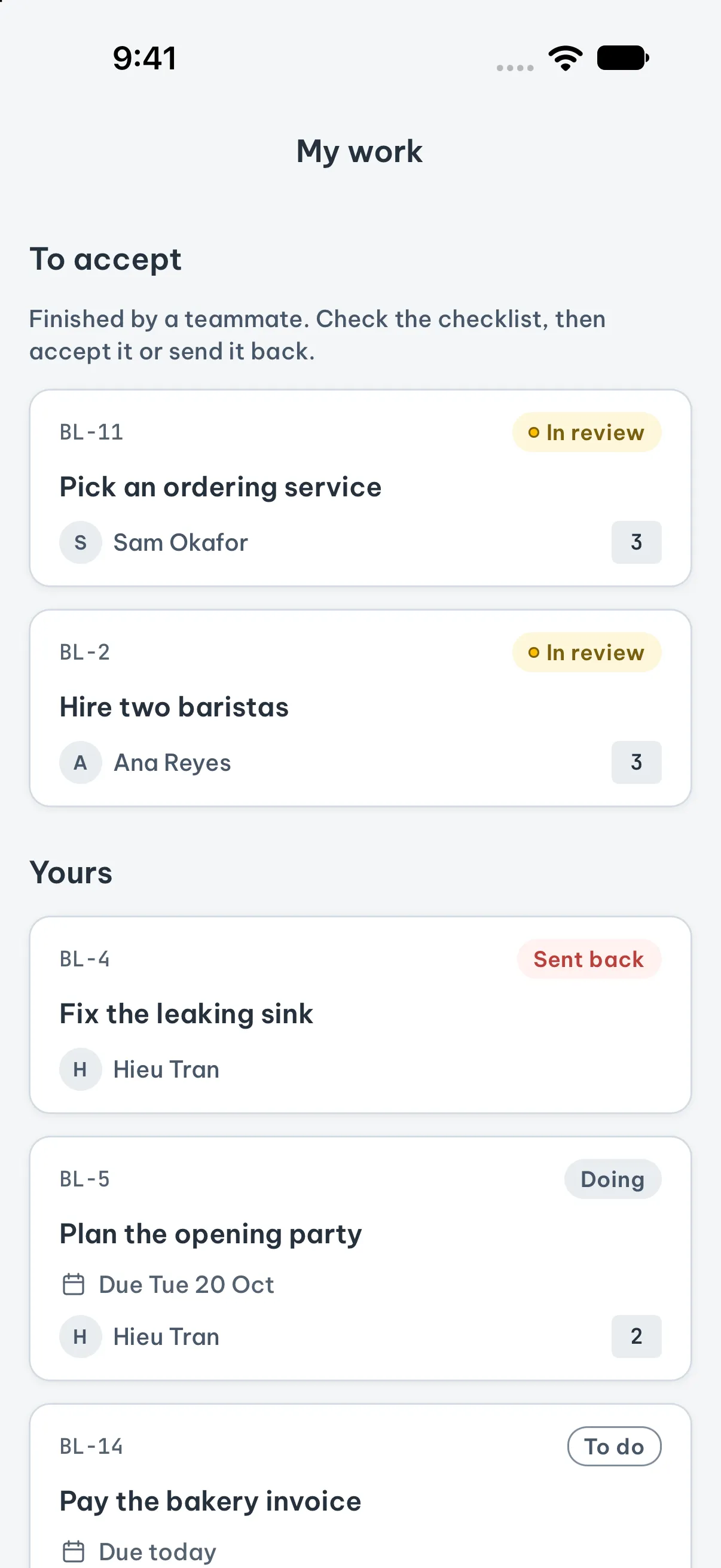
Home puts what needs you first, across every workspace: tasks due today or overdue, work sent back to you, and work waiting for your review. Below it, what you are doing now and how each plan is going.
For goals you mean to reach
Turn what matters into a plan. Gather what could help, choose your next steps, and make time to reflect.
For iPhone and Android. Alone or with a team.
Run my first 5 km
Your goals, connected to your everyday tasks.
The method
Name what matters, the thing you want to be true. Give it a few key results so you can tell when you are getting there.
Add everything that could help, freely. Nothing is a commitment yet; it is all just a task under its goal.
At the start of each sprint, pick the goals it works toward and the tasks worth doing now. Weigh impact against effort.
When the sprint ends, score its key results and note what went well, what could be better and what to try next.
Home
Home puts what needs you first, across every workspace: tasks due today or overdue, work sent back to you, and work waiting for your review. Below it, what you are doing now and how each plan is going.
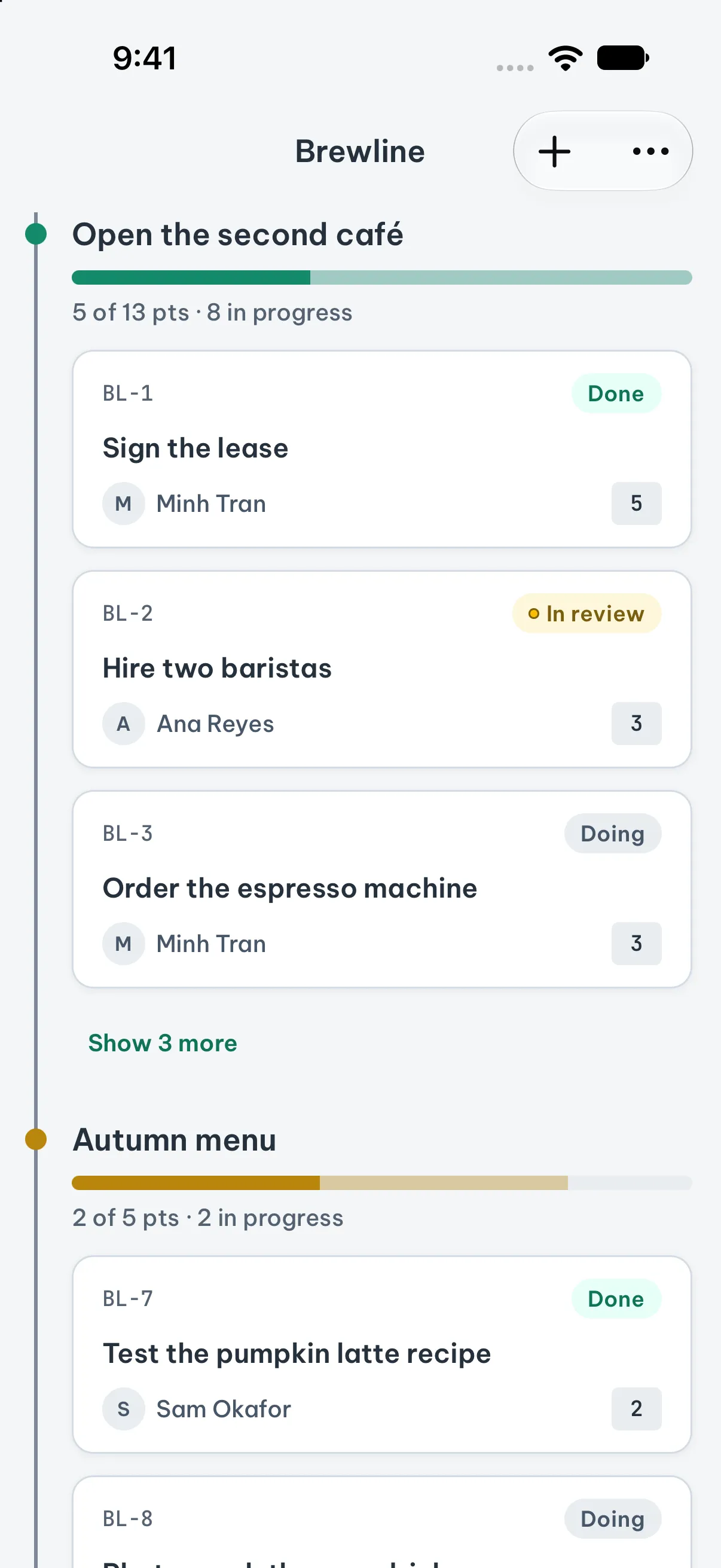
Your plan as a tree
Your goals hang from one trunk, each with its tasks under it in the order you will do them, and each shows how much is done. Size work in points if you like, or leave them out.
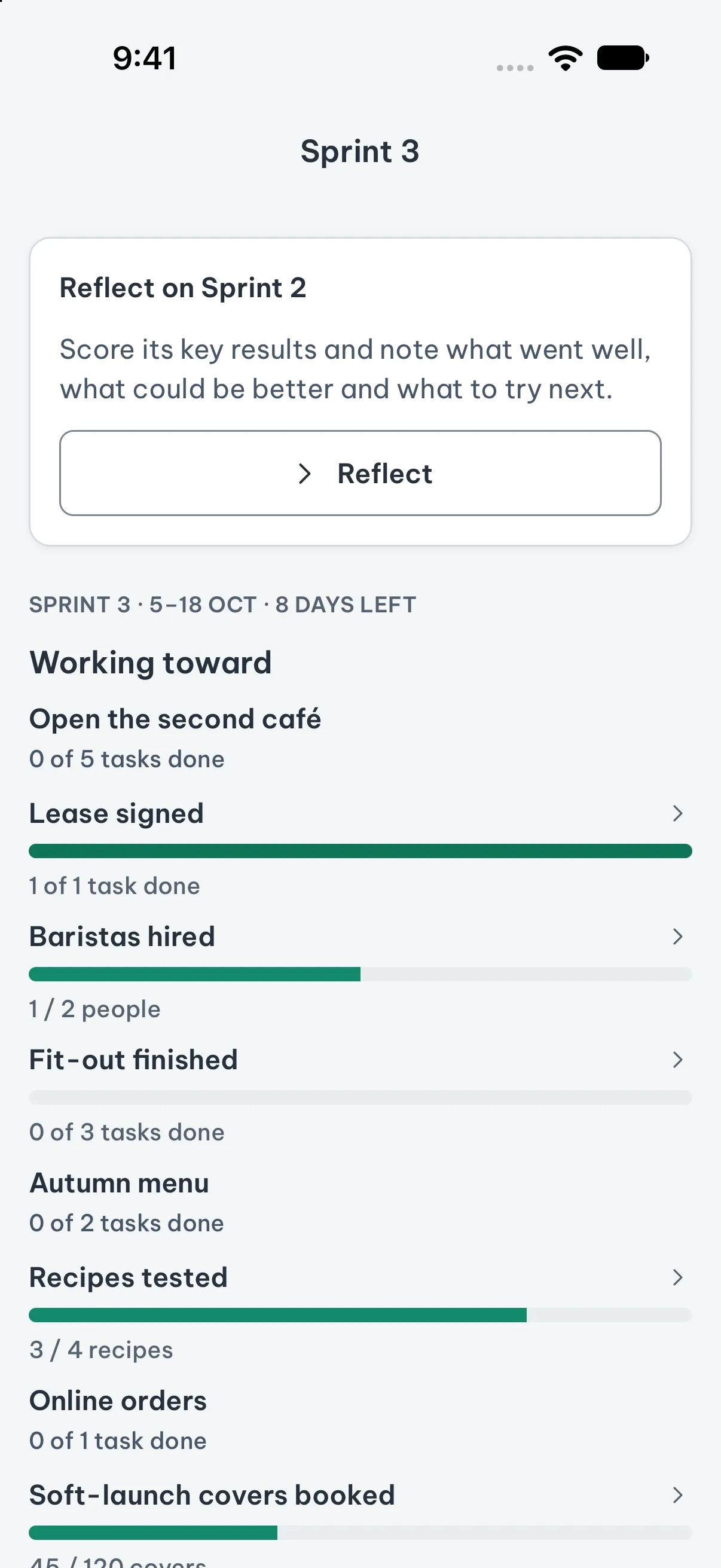
Sprints
A sprint works toward the goals you chose when planning it. Each key result shows how far along it is, so you can see at a glance whether the sprint is on track.
Review
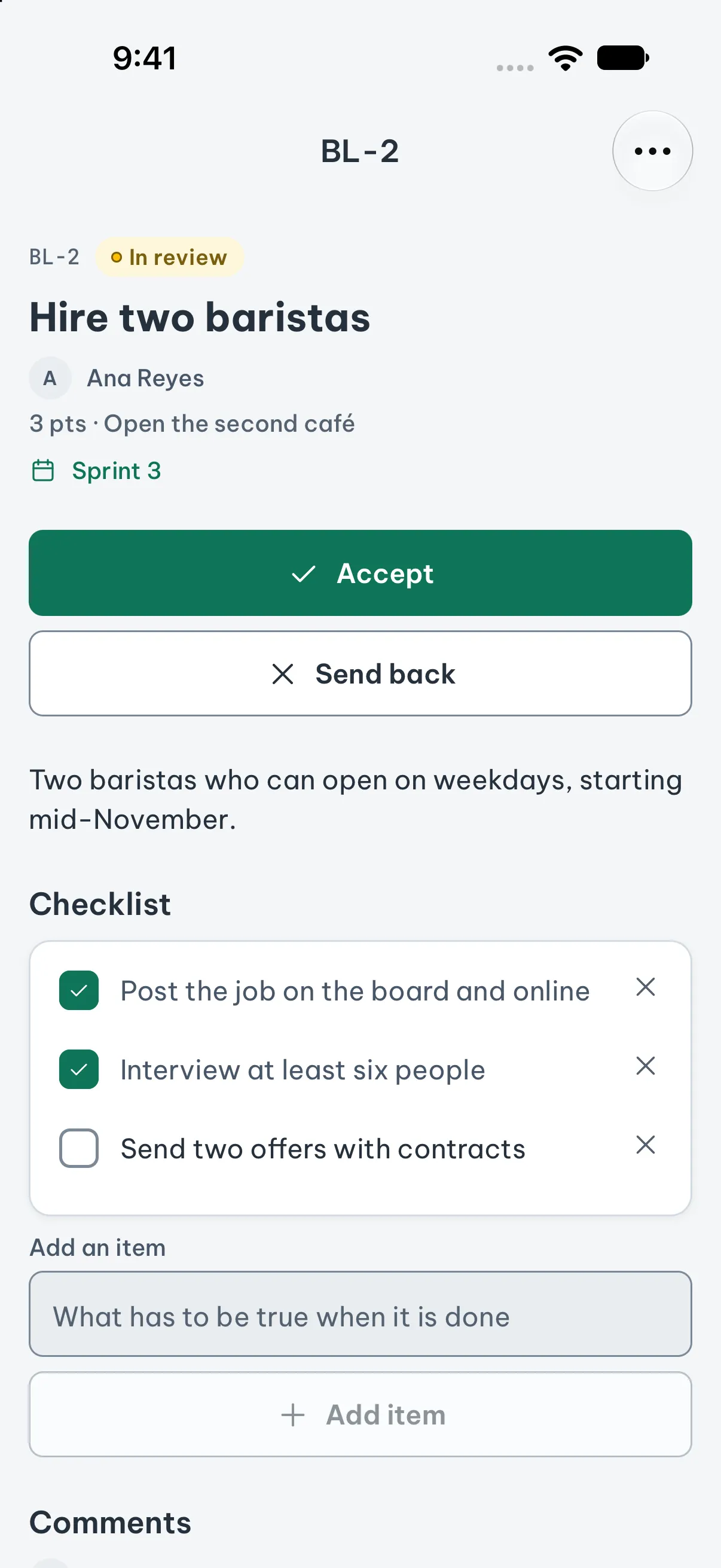
Tasks go from To do to Doing to Done. Teams can turn on review: finished work waits for a teammate, who checks the checklist and accepts it or sends it back with a reason.
Routines
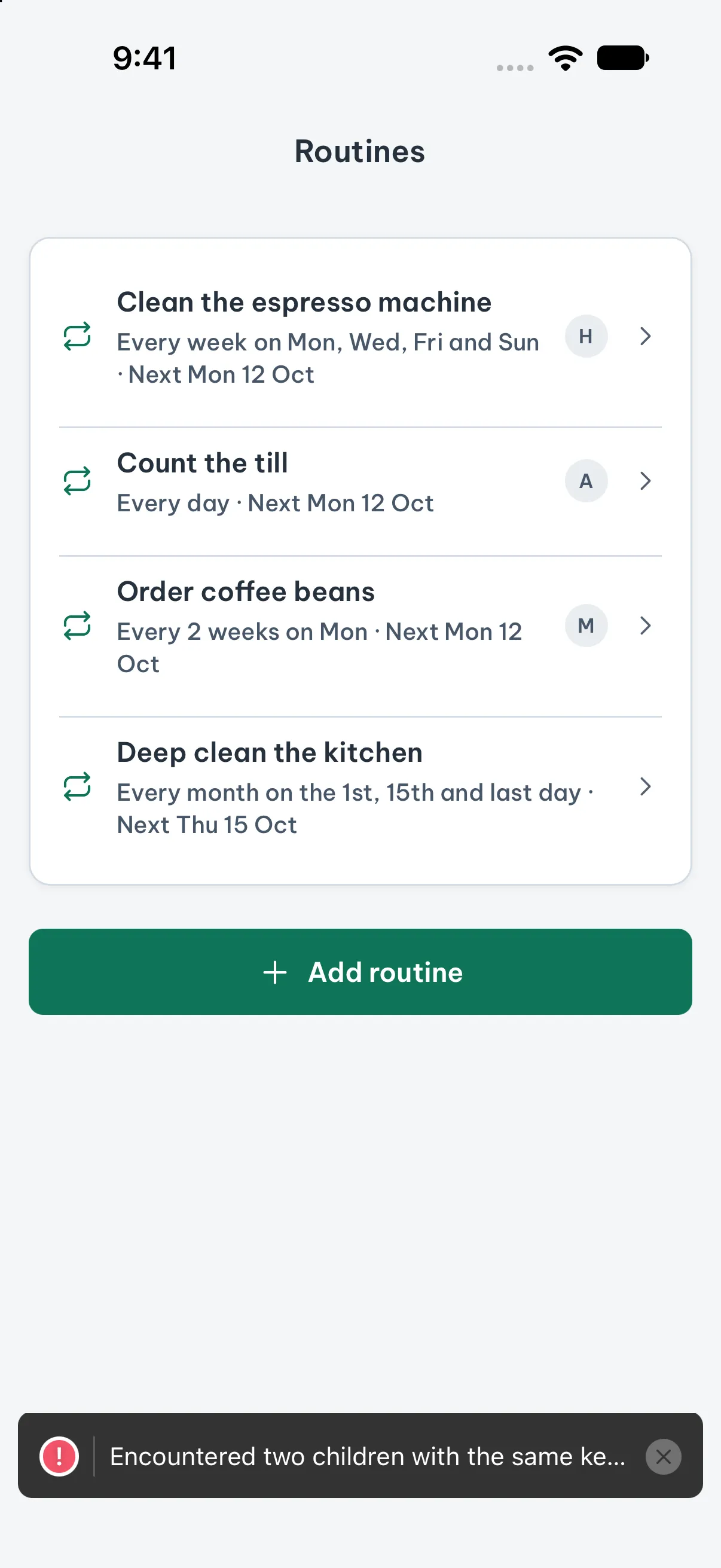
Clean the coffee machine every Tuesday, pay rent on the last day of the month. A routine repeats daily, weekly on the days you choose, or monthly on chosen dates, and each time it falls due it becomes a task with its own checklist.
Activity
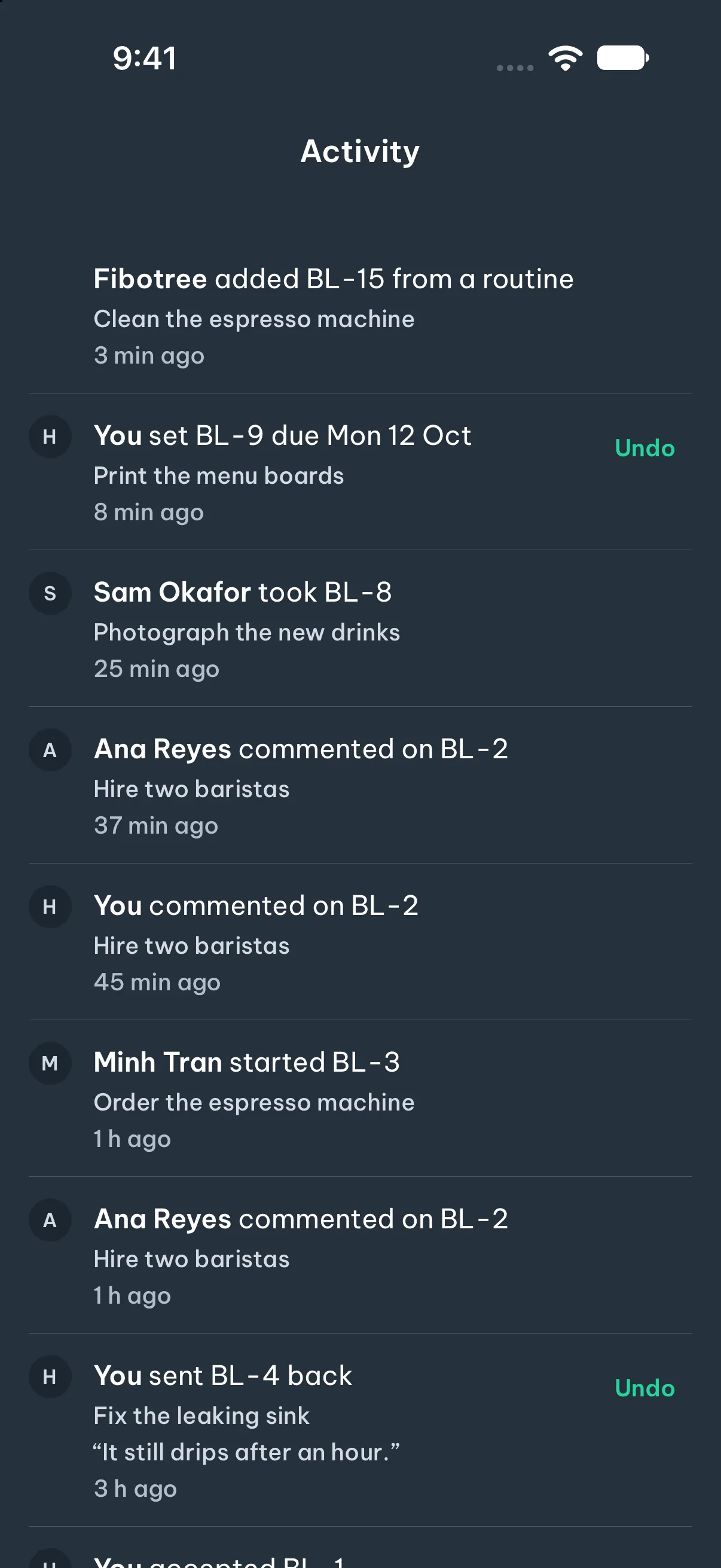
Everyone sees changes as they happen. The activity list shows who changed what, and one tap undoes your own last change.
Create a shared workspace and invite people with a link. Your personal workspace stays yours.
Plan on a plane. Changes wait on your phone and go out when you are back online.
The fibotree command-line tool works on the same plan: add tasks, start them and finish them without leaving the terminal.
The app speaks English, Simplified Chinese, Japanese, Korean and Vietnamese.
Coming from Cando
Your goals came over to your Personal workspace, your key results are tasks under them, and your routines still repeat, now with each day's work as a task. Sign in as before; past daily check-ins did not come over.
Get Fibotree on the App Store or Google Play.